
1.安装git
- 输入网址https://npm.taobao.org/mirrors/git-for-windows/(你也可以去官网下载)
- 点击你想下载的版本

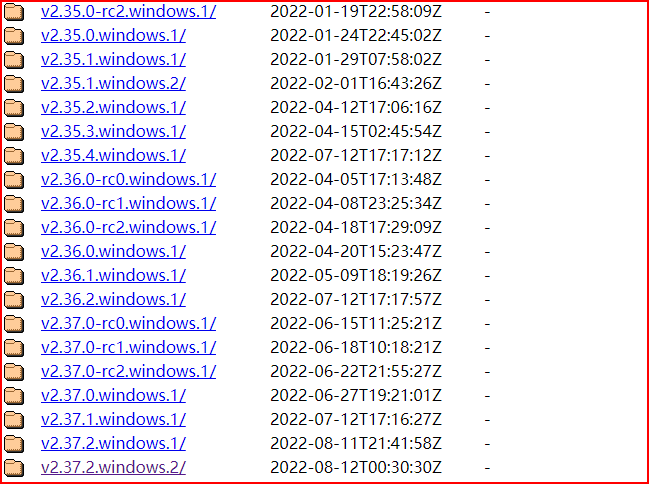
- 下载exe文件

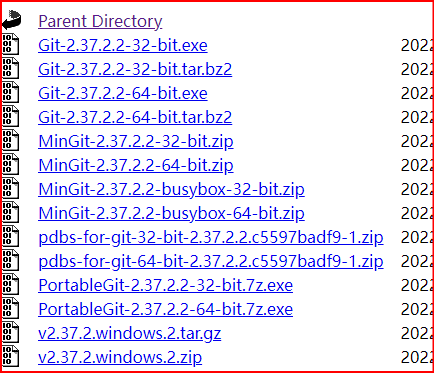
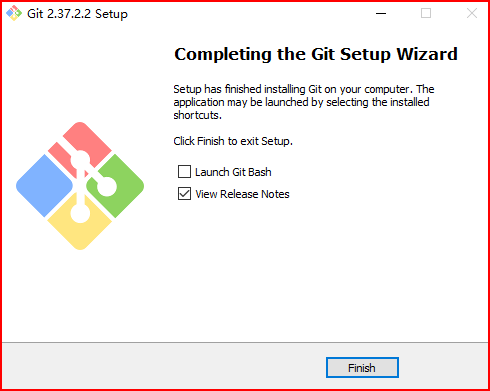
- 一路next即可

2.安装nodejs
- 输入网址:nodejs.org
- 按装左边长期支持版本


- 安装点击next即可
3.通过cnpm安装hexo
进入控制台使用管理员身份
输入:
npm install -g cnpm --registry=https://registry.npm.taobao.org<回车>

如果显示淘宝镜像过期输入:
1
2
3
npm cache clean --force
npm config set registry https://registry.npmmirror.com
npm install -g cnpm如果显示:
1
2
3
4
5
6
7
8
9
npm error code ERR_INVALID_URL
npm error Invalid URL
````
则需要设置代理:
```bash
npm config delete proxy
npm config delete https-proxy
npm config set proxy http://127.0.0.1:7890
npm config set https-proxy http://127.0.0.1:7890
输入:
cnpm install -g hexo-cli<回车>
4.搭建博客
创建一个空文件夹(d:/blog/test)
进入该文件夹:cd /d d:/blog/test<回车>
初始化:hexo init<回车>
打开:hexo s<回车>\
如果出错实施更新node.js版本,https://github.com/coreybutler/nvm-windows/releases, 下载 nvm-setup.exe
重启终端
1
2
3
4
5
6
7
8
9
nvm version
nvm install 20.19.0
nvm use 20.19.0
node -v
cd /d/blog
rm -rf node_modules package-lock.json
npm install
hexo clean
hexo s
浏览器访问:http://localhost:4000/
命令行点击ctr+c输入y<回车>即可关闭
5.操作博客
- 新建博客:hexo n “test1.md”(保存在了blog\test\source_posts\test1.md)(也可直接在该目录下新建.md文件)
- 编辑博客:使用vscode/typora等
6.将博客部署到GitHub
- 登录GitHub
- 新建仓库


- 注意前面部分要跟自己的名字一样(以后通过


- 安装插件:命令行输入:
cnpm install --save hexo-deployer-git - 找到_config.yml文件,将最后面加上:
1
2
3
type: git
repo: git@github.com:lankeren035/lankeren035.github.io.git
branch: main - 输入hexo d即可部署到远端(在test文件夹下)
- 浏览器输入仓库名:lankeren035.github.io即可访问
7.换主题
- 找到目标主题:github.com/litten/hexo-theme-yilia
- 命令行输入:
git clone https://github.com/litten/hexo-theme-yilia.git themes/yilia则会在theme下创建yilia文件夹 - 在_config.yml中将theme后的改为yilia

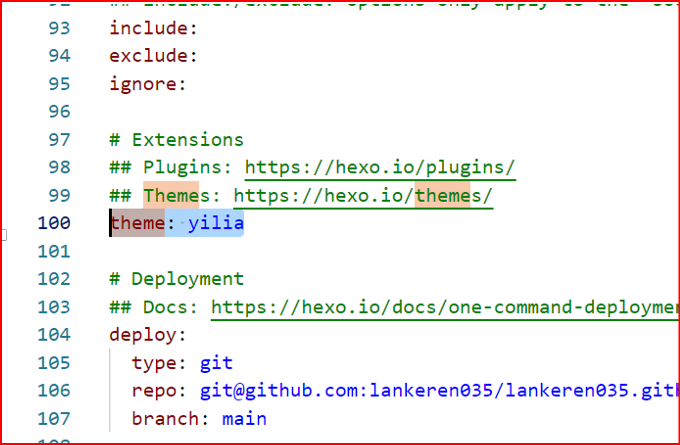
- hexo g再hexo s通过本地看看
- 最后hexo d再把远端的也更新了